Download

SHARED KNOWLEDGE. COLLECTIVE MOMENTUM.

Where peopleand agentsbecome one team.

Bring your conversations, project knowledge, and AI agents into one place. See what changed, decide what matters, and move the work forward with shared understanding.

CONVERSATION CONTEXT ACTIONEXPLORE COFLOW A CONTEXTSTREAM PRODUCT

THE WHOLE PICTURE. THE NEXT MOVE.

Less catching up.
More moving together.

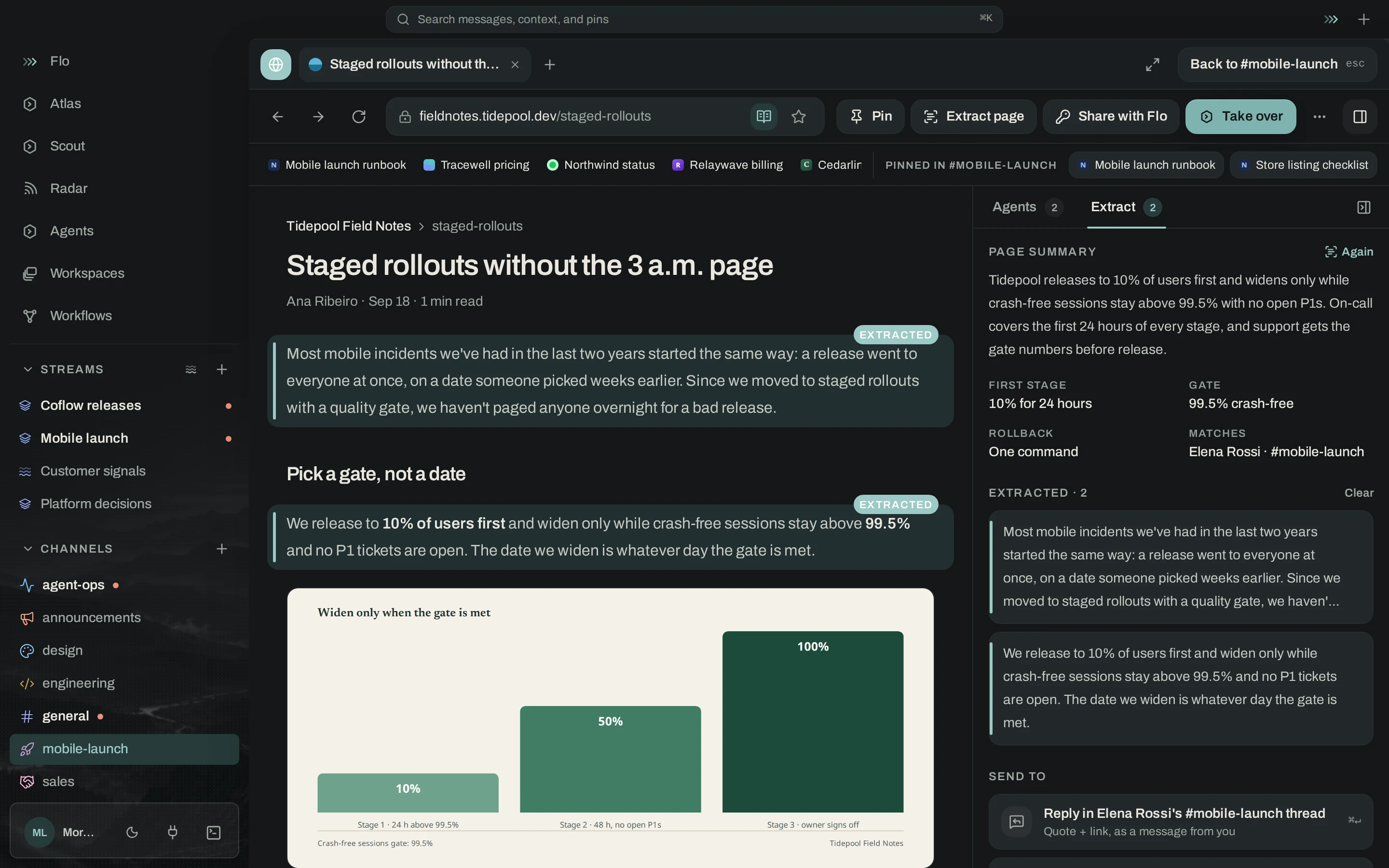
Work happens across conversations, documents, repositories, and tools. Coflow connects that knowledge to the people and agents who need to act on it.

Take the product tour
  1. 01

    Understand what changed

    Feeds and Radar bring the work into view.

  2. 02

    Move it forward together

    People, Flo, and your agents share the context.

  3. 03

    Keep what you learned

    Knowledge carries into the next conversation.

01 / INSIDE COFLOW

A shared place.
A whole new way to work.

Explore the actual app, from the first signal to the next handoff.

REAL APP CAPTURES · SAMPLE WORKSPACES

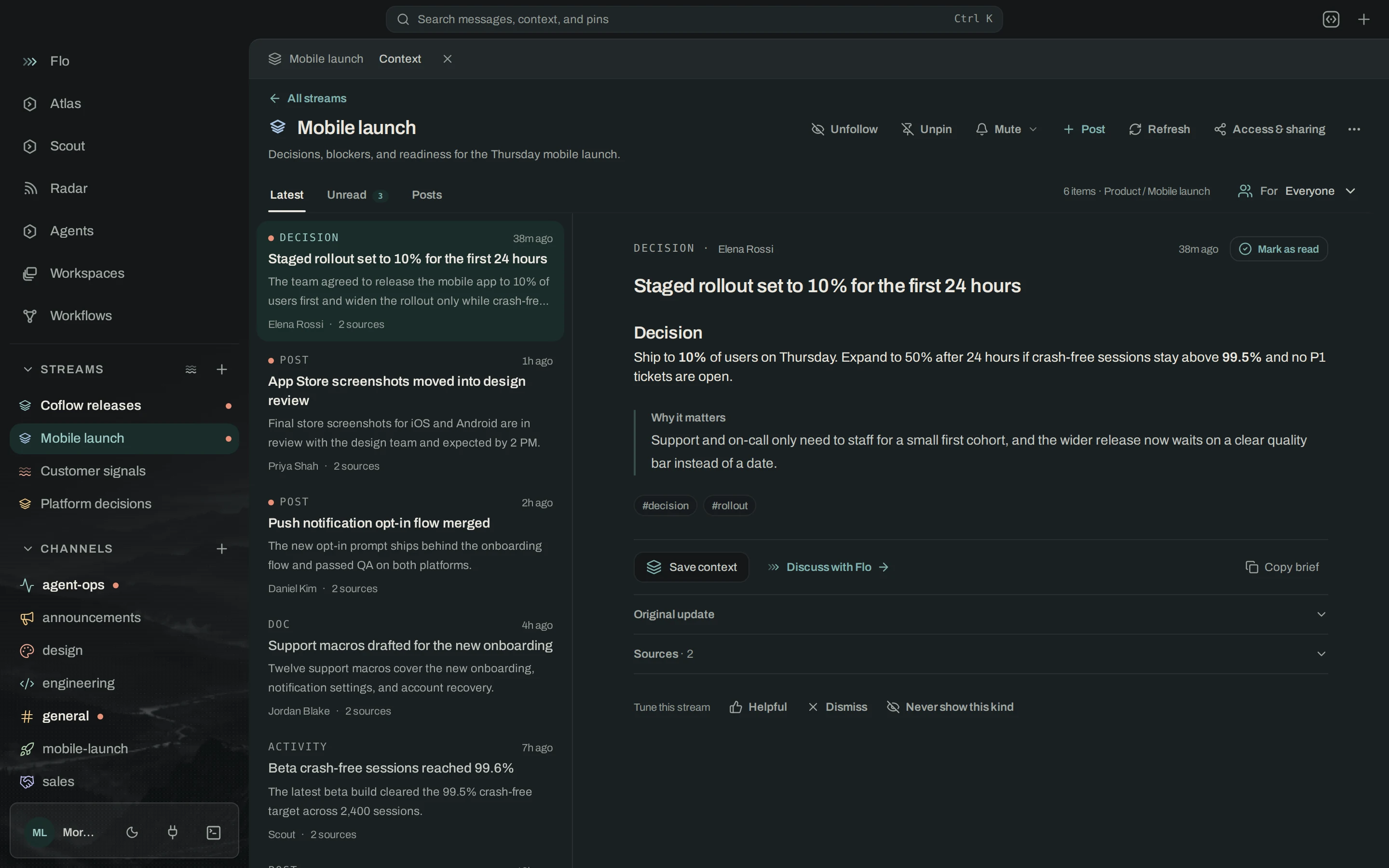
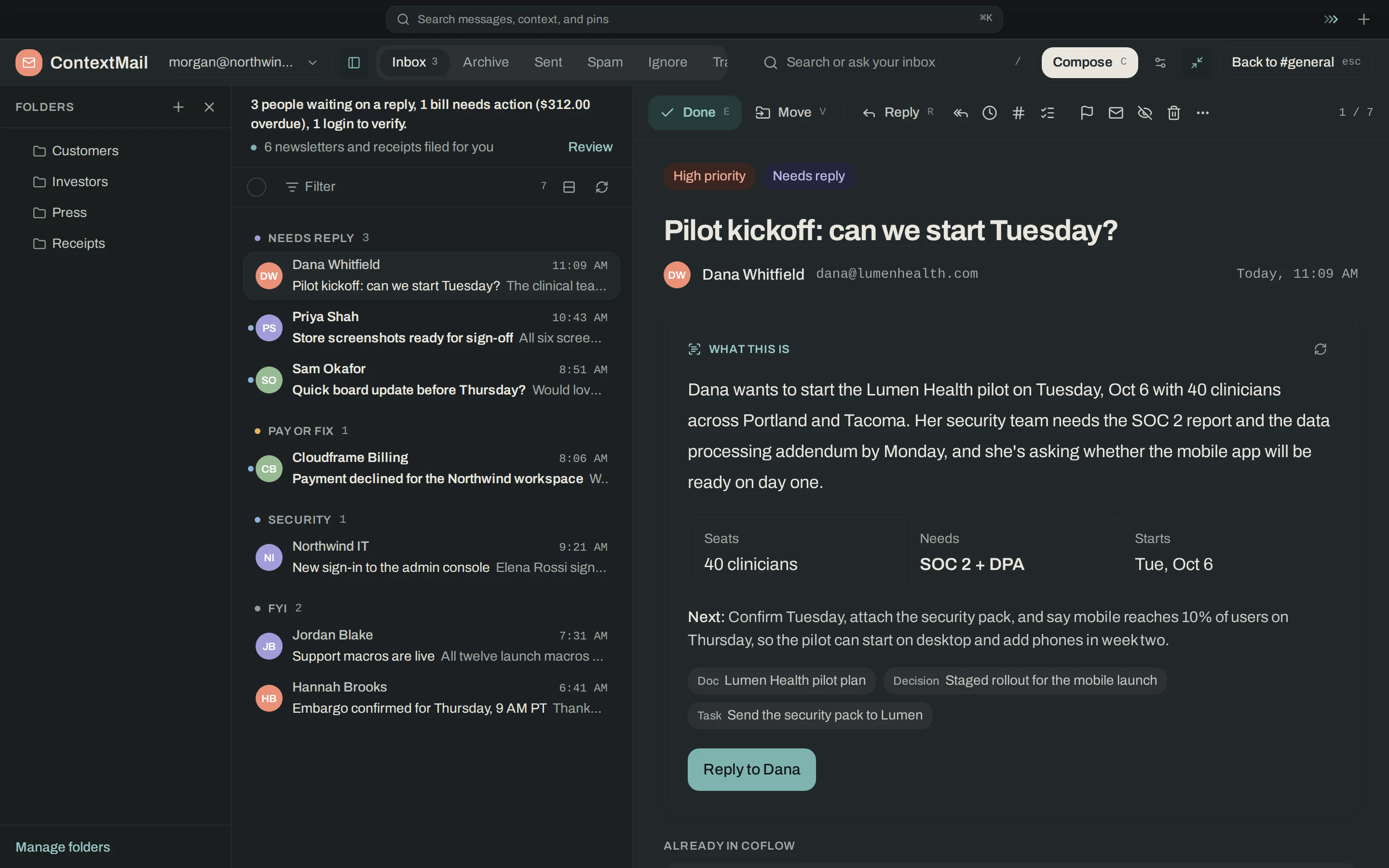
Every update. A clearer picture.

A living brief for a workspace, project, or topic. Read the same update through the lens of sales, design, engineering, or your own audience, with the original evidence close at hand.

Coflow feed with Reading for Sales selected, an audience-specific brief, supporting evidence, and actions.
Feeds / Coflow desktopActual app · Illustrative project data
  • Make the work make sense

    Choose who you’re reading for. Get the implications in language that fits.

  • Go beyond the summary

    Open the original sources behind an update.

  • Take the next step

    Hand a feed item to Flo with its context attached.

The changes between the updates.

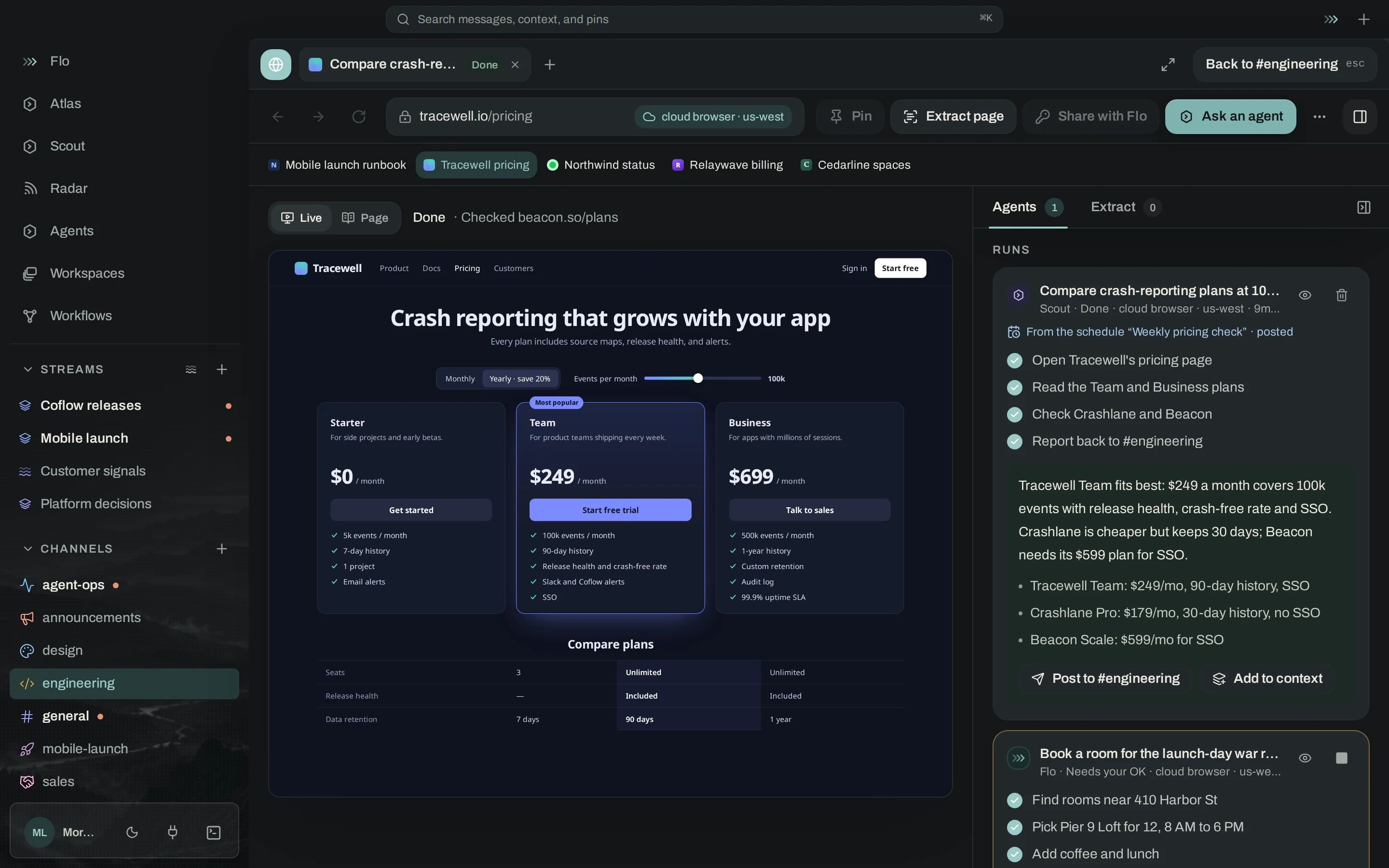
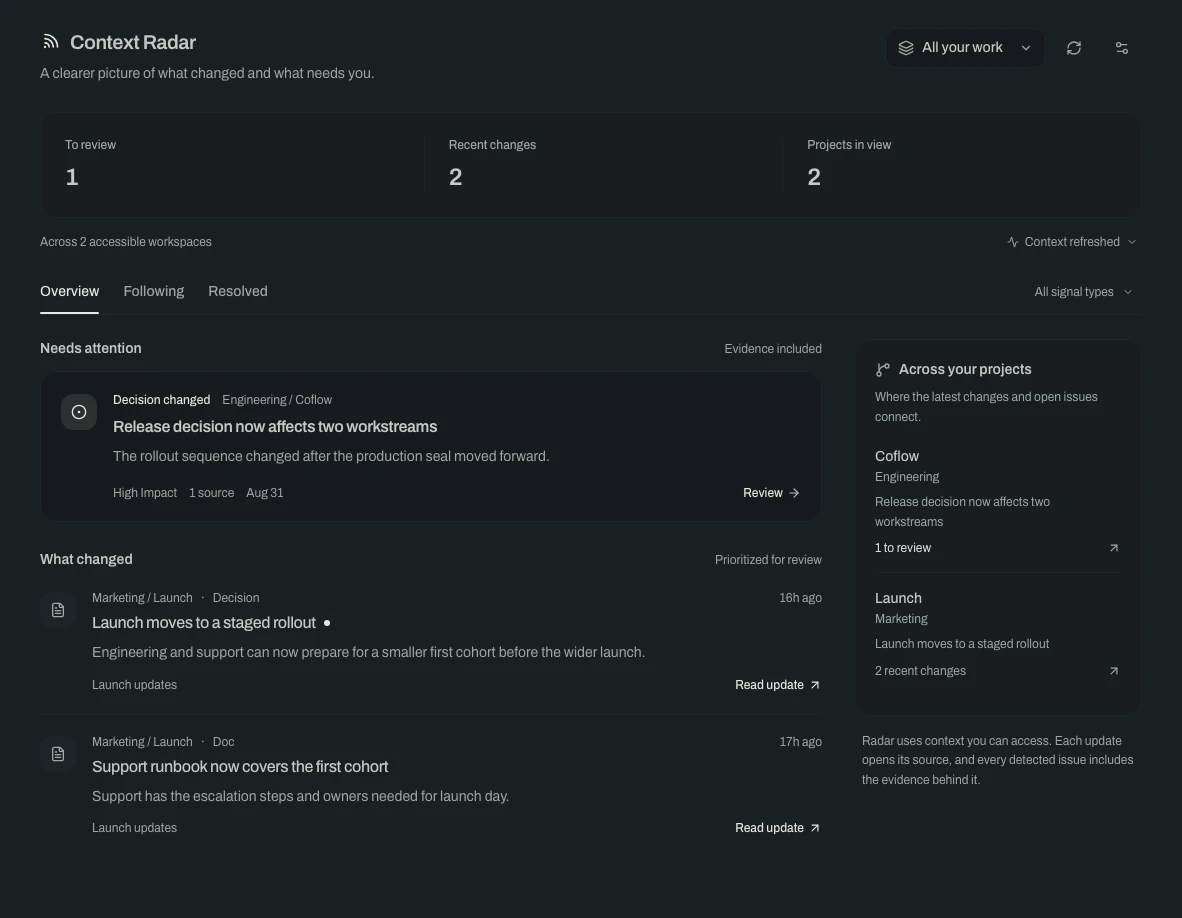
Radar looks across the work you can access, bringing recent changes and issues needing attention into one view. Start with the whole picture, then narrow it when you need to.

Current Coflow Radar across two workspaces, with a release decision affecting two workstreams, recent changes, and source links.
Radar / Coflow desktopActual app · Illustrative project data
  • Start with all your work

    Accessible workspaces and projects come into view together.

  • Understand the impact

    Review decision changes, coordination issues, and context drift.

  • Follow the evidence

    Inspect sources, follow a finding, or mark it resolved.

An answer that knows the backstory.

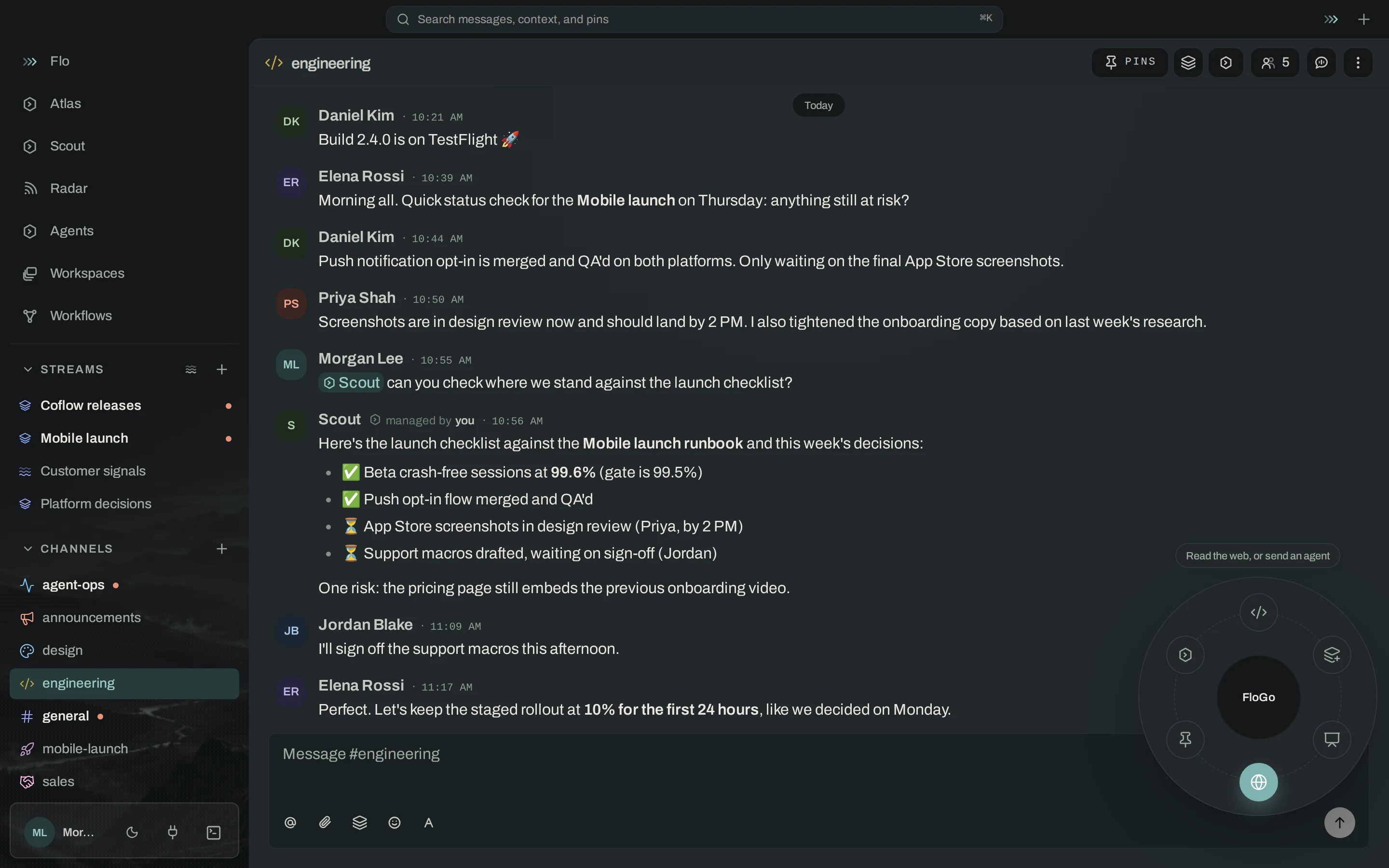
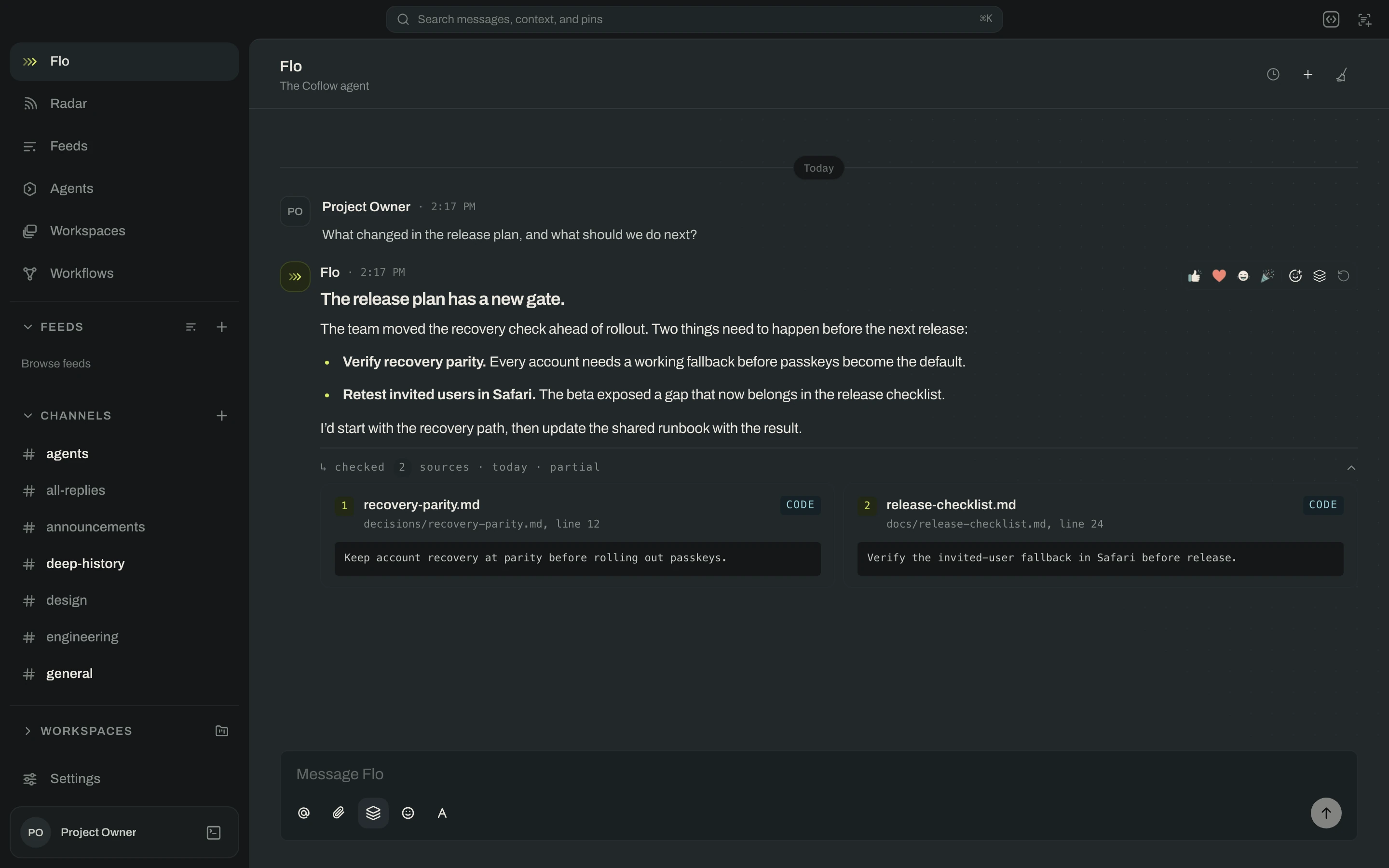
Work through a question with Flo, Coflow’s built-in assistant. Bring the relevant project knowledge, a feed update, or a finding into the conversation and keep going from there.

A Coflow conversation with Flo, showing a project question, a grounded response, and linked sources.
Flo / Coflow desktopActual app · Illustrative project data
  • Ask about the actual work

    Use your connected knowledge and conversation context.

  • Check the source

    Follow references back to the material behind an answer.

  • Keep the thread moving

    Turn an update into a question, a discussion, or a next step.

From shared understanding to working code.

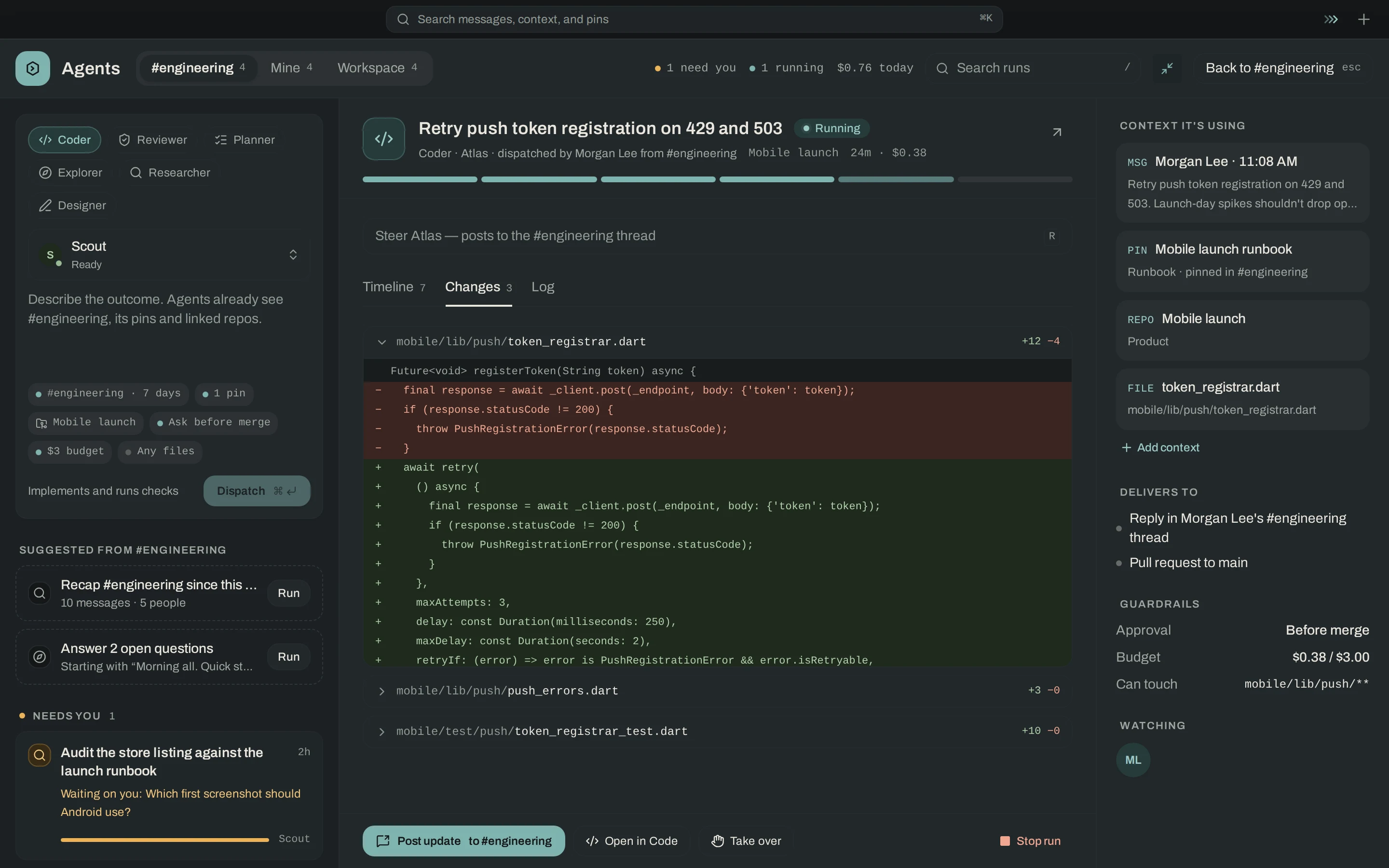
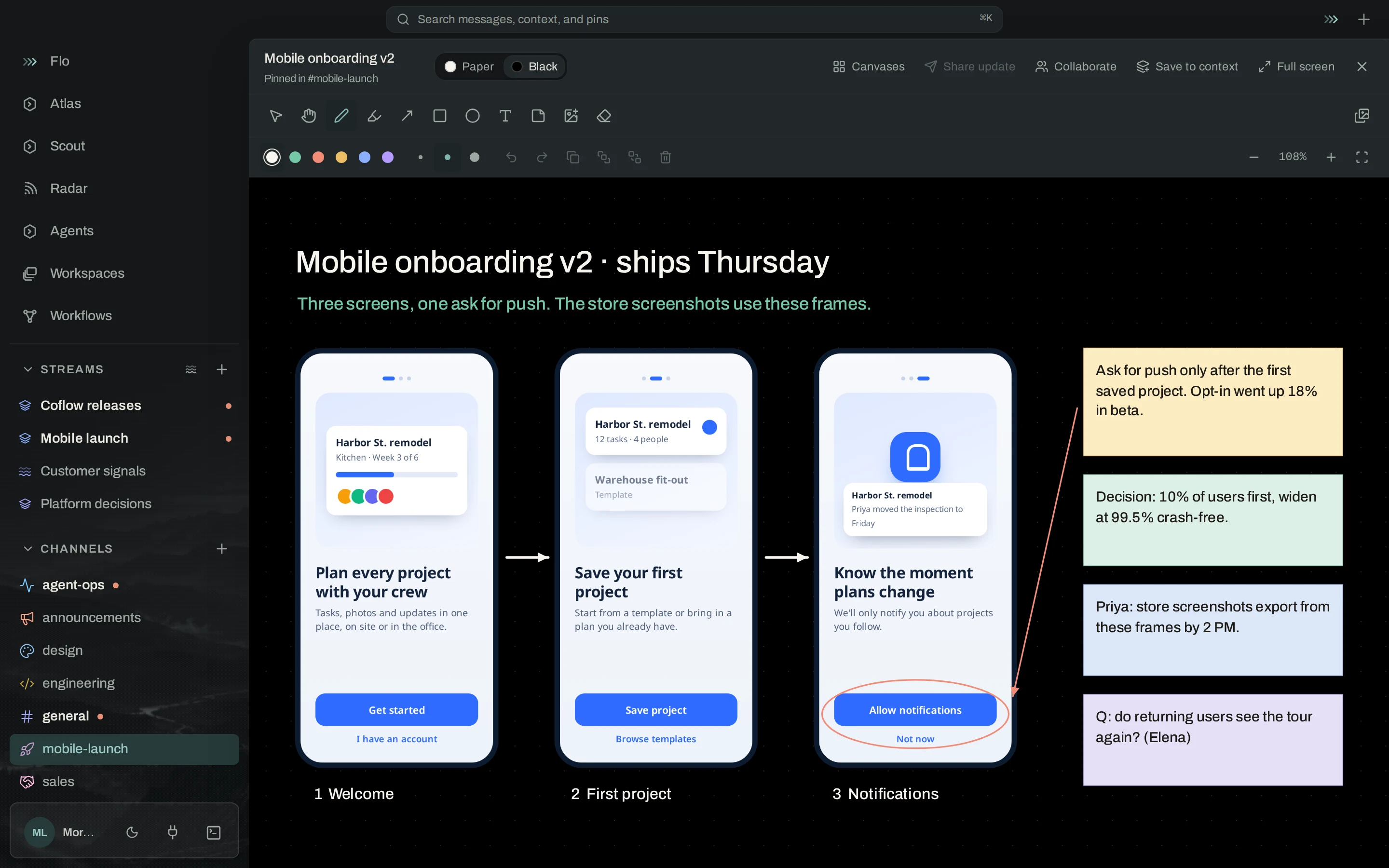
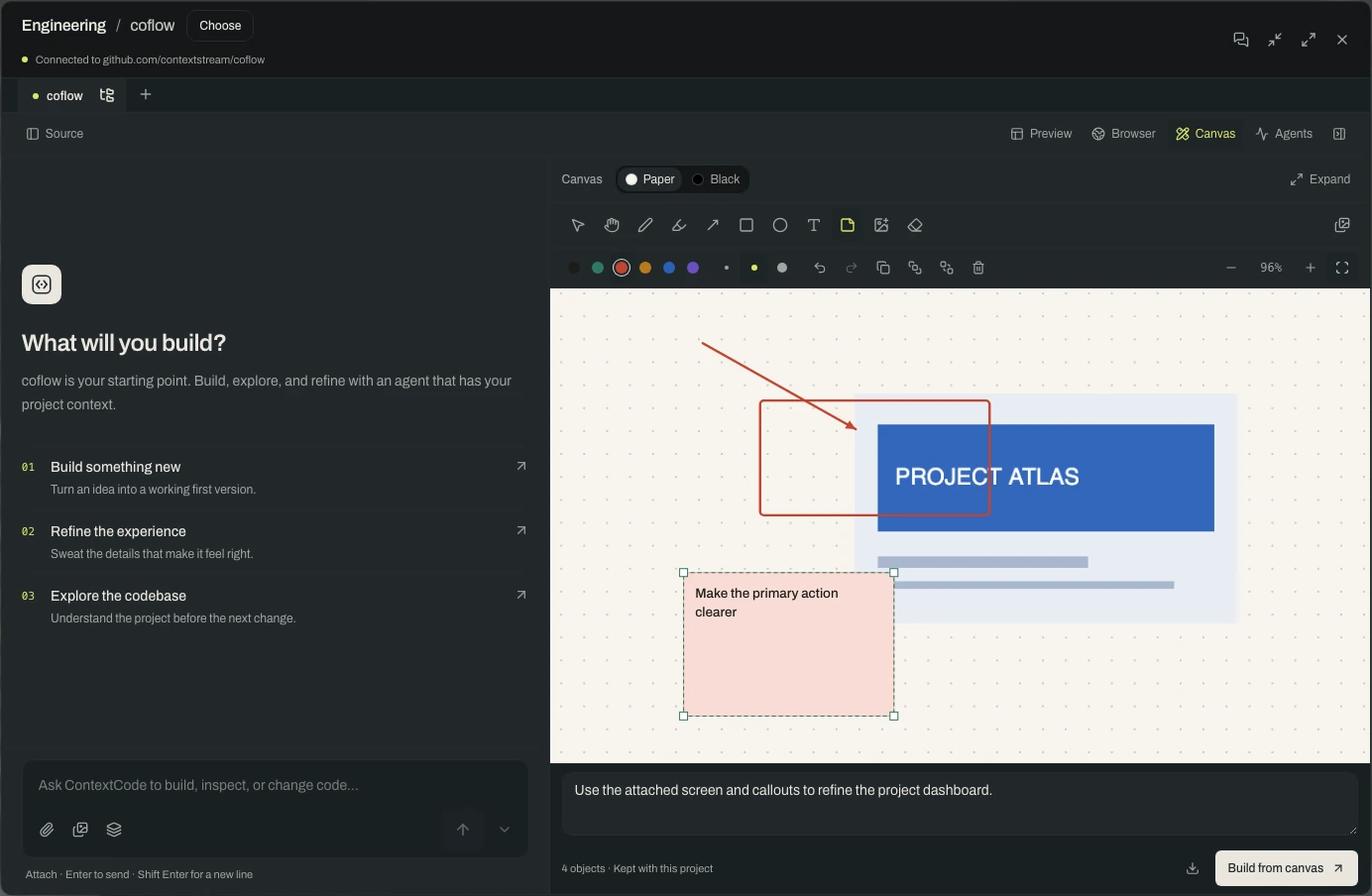
A focused place to work with a coding agent that has your project context. Keep source, conversation, previews, and a visual canvas close to the work you are building.

Coflow ContextCode with an annotated design image, drawing tools, a visual brief, and Build from canvas.
ContextCode / Coflow desktopActual app · Illustrative project data
  • Build in context

    Bring the project’s knowledge into your coding conversation.

  • Think on a canvas

    Draw, drop an image, annotate, and send a visual brief to your agent.

  • Make room for the idea

    Expand the canvas to fill the window; choose paper or black.

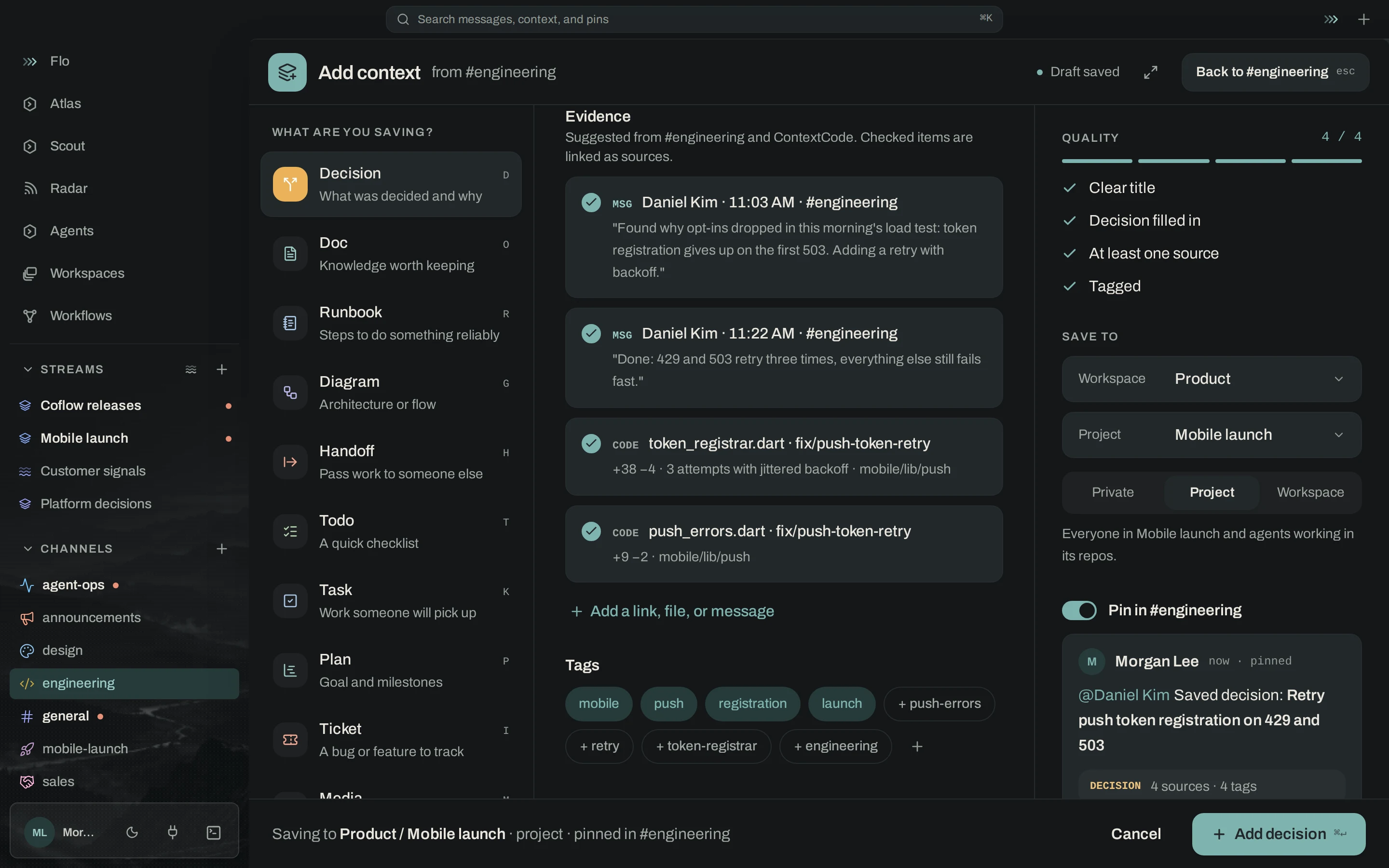
Give every kind of knowledge the right home.

Capture a runbook as a procedure, a diagram as an editable visual, and a plan as work to follow. Each context type has a creation flow shaped around what it needs.

Coflow Add context dialog with an editable Mermaid diagram, live preview, and tabs for eight context types.
Knowledge / Coflow desktopActual app · Illustrative project data
  • Create with structure

    Docs, runbooks, diagrams, handoffs, todos, plans, tickets, and media.

  • Keep the useful details

    Capture triggers, steps, checks, and recovery in a runbook.

  • Save the insight, too

    Turn a useful message into a decision, lesson, preference, or document.

Bring the right context into the room.

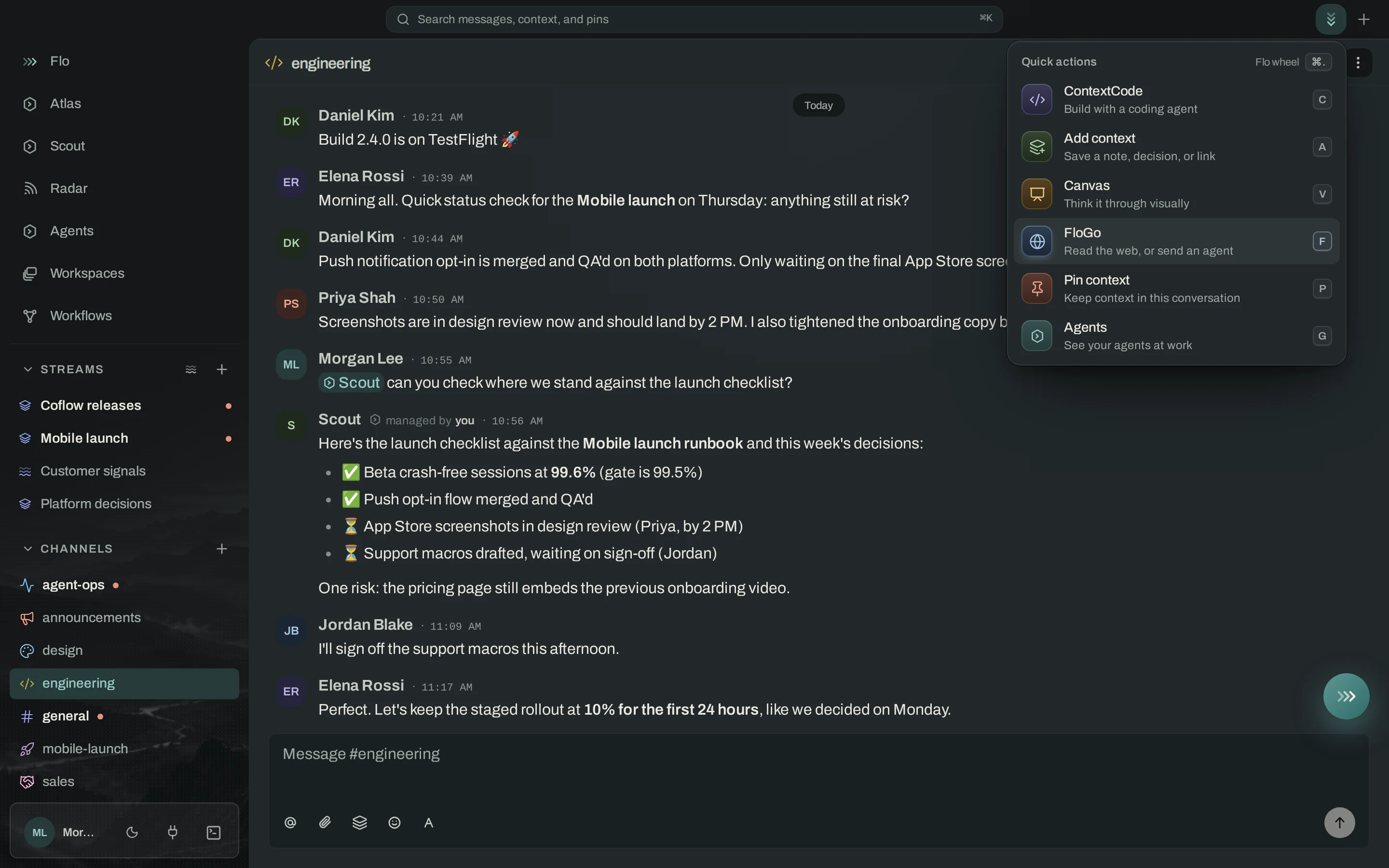
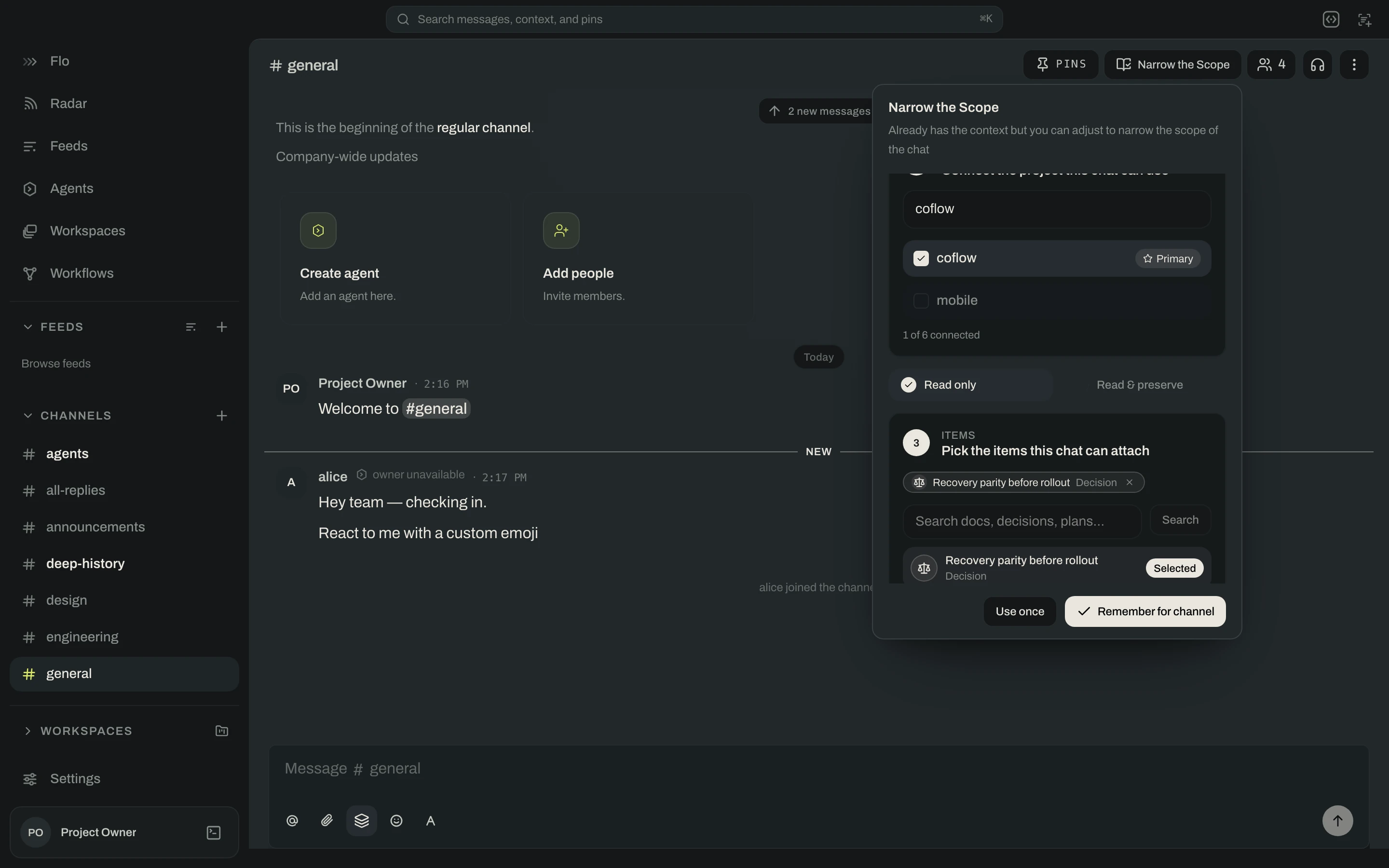
Focus a channel or direct message on the workspaces, projects, and knowledge relevant to the conversation. Pin the details worth keeping close, then change focus as the work evolves.

Coflow Narrow the Scope panel with a project selected and specific context items pinned.
Context / Coflow desktopActual app · Illustrative project data
  • Narrow the conversation

    Choose the workspace or project you want to work on.

  • Keep key material close

    Pin documents, decisions, plans, and other context.

  • Focus without changing access

    Conversation scope guides attention. Sharing controls who has access.

Your tools belong in the conversation.

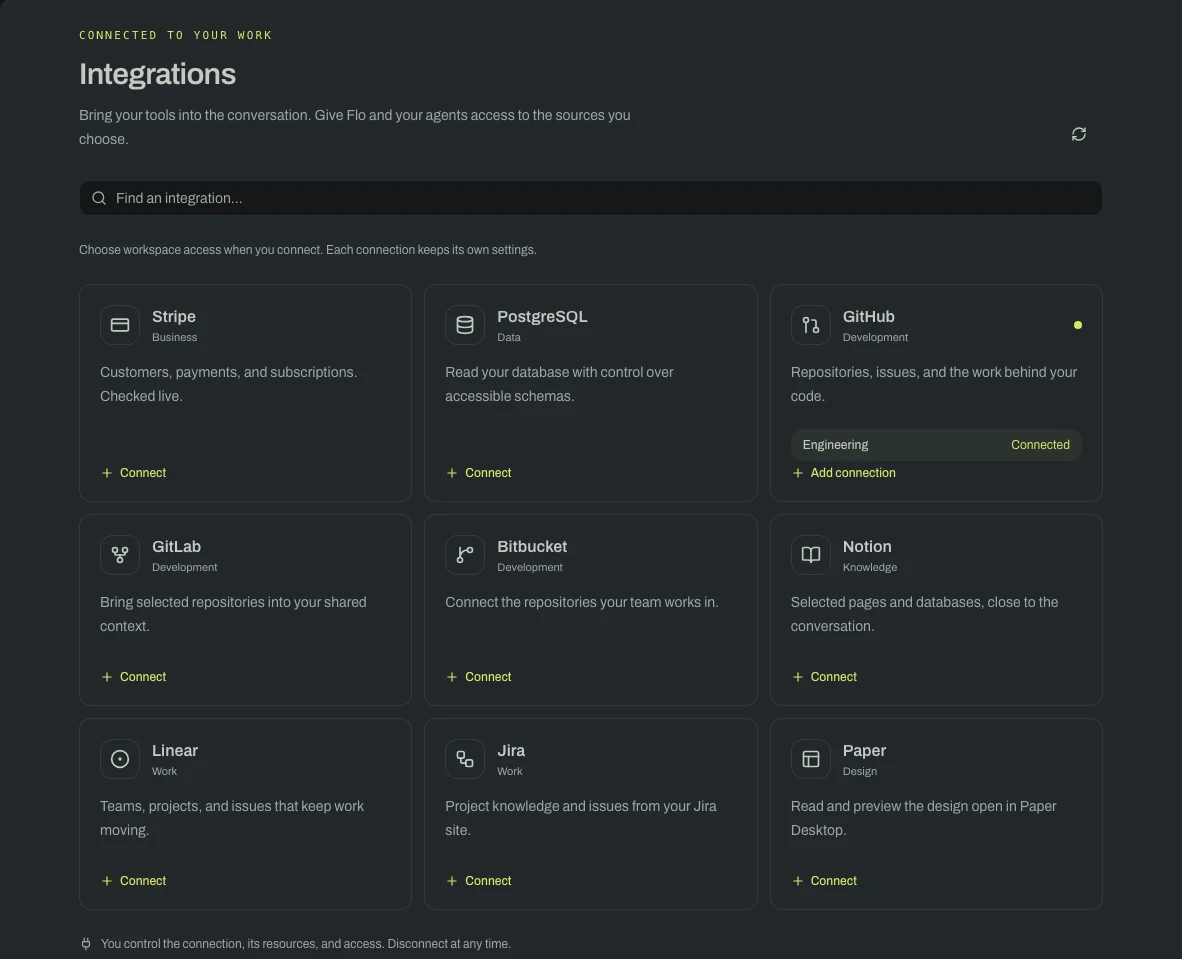
Bring connected work into Coflow, from repository activity and project tracking to documents, design, and business signals. Choose where a connection is available and whether Flo and your agents can read it.

Coflow integrations catalog showing development, knowledge, planning, business, analytics, and Paper design connections.
Integrations / Coflow desktopActual app · Illustrative project data
  • Connect the work

    GitHub, GitLab, Bitbucket, Notion, Linear, Jira, Stripe, and PostHog.

  • Bring design in, too

    Connect an open Paper Desktop design through its local MCP server.

  • Choose what is available

    Set workspace access, resource selection, and agent read access.

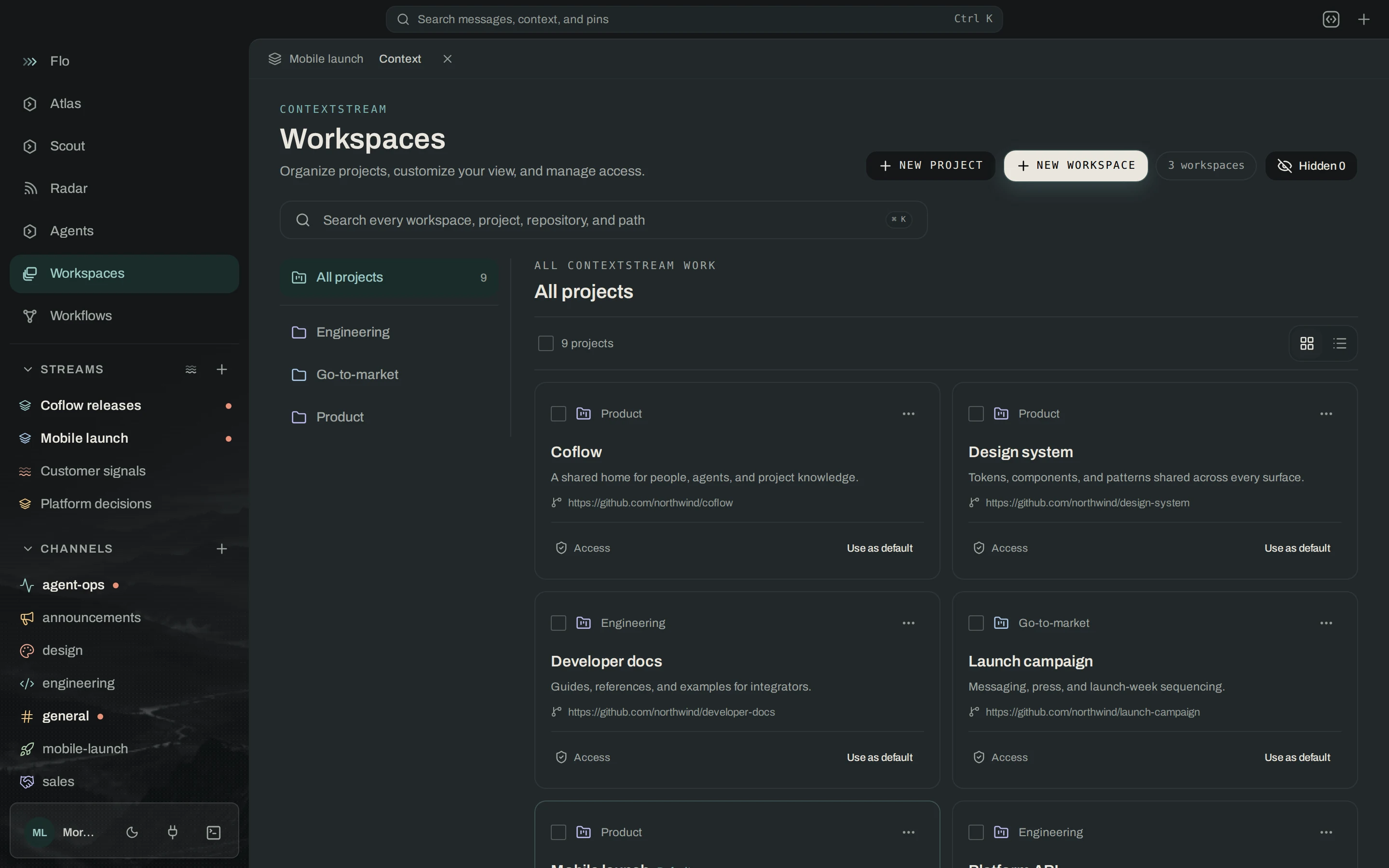
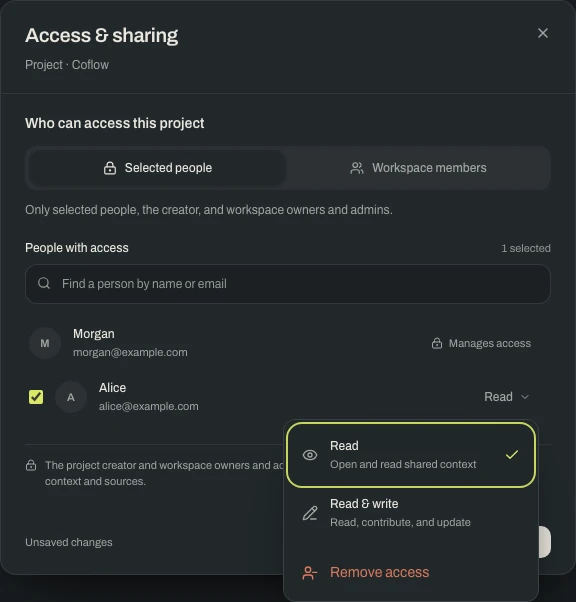
Shared with the right people.

Share a workspace, project, or feed with selected teammates and give each person read or read/write access. Choose broader team access when that is what the work calls for.

Sharing / Coflow desktopActual app · Illustrative project data
  • Select people and roles

    Choose teammates and set their level of access.

  • Keep conversations considered

    Use private channels and control who joins the conversation.

  • Understand who manages access

    Creators and workspace owners and admins retain their management access.

One connected system. Explore a feature above, then see how your team brings it all together below.

02 / THE PEOPLE BEHIND THE WORK

Everyone brings something.
Now it stays connected.

From an early idea to a release, Coflow gives the conversation, the knowledge, and the people doing the work a shared home.

CONVERSATION WITH CONTINUITY

The room where
the work comes together.

Talk in channels, follow a thread, work in a direct message, or jump into a huddle. Bring an agent into the conversation with the knowledge it needs.

See conversation context
01

Bring the agents you already use

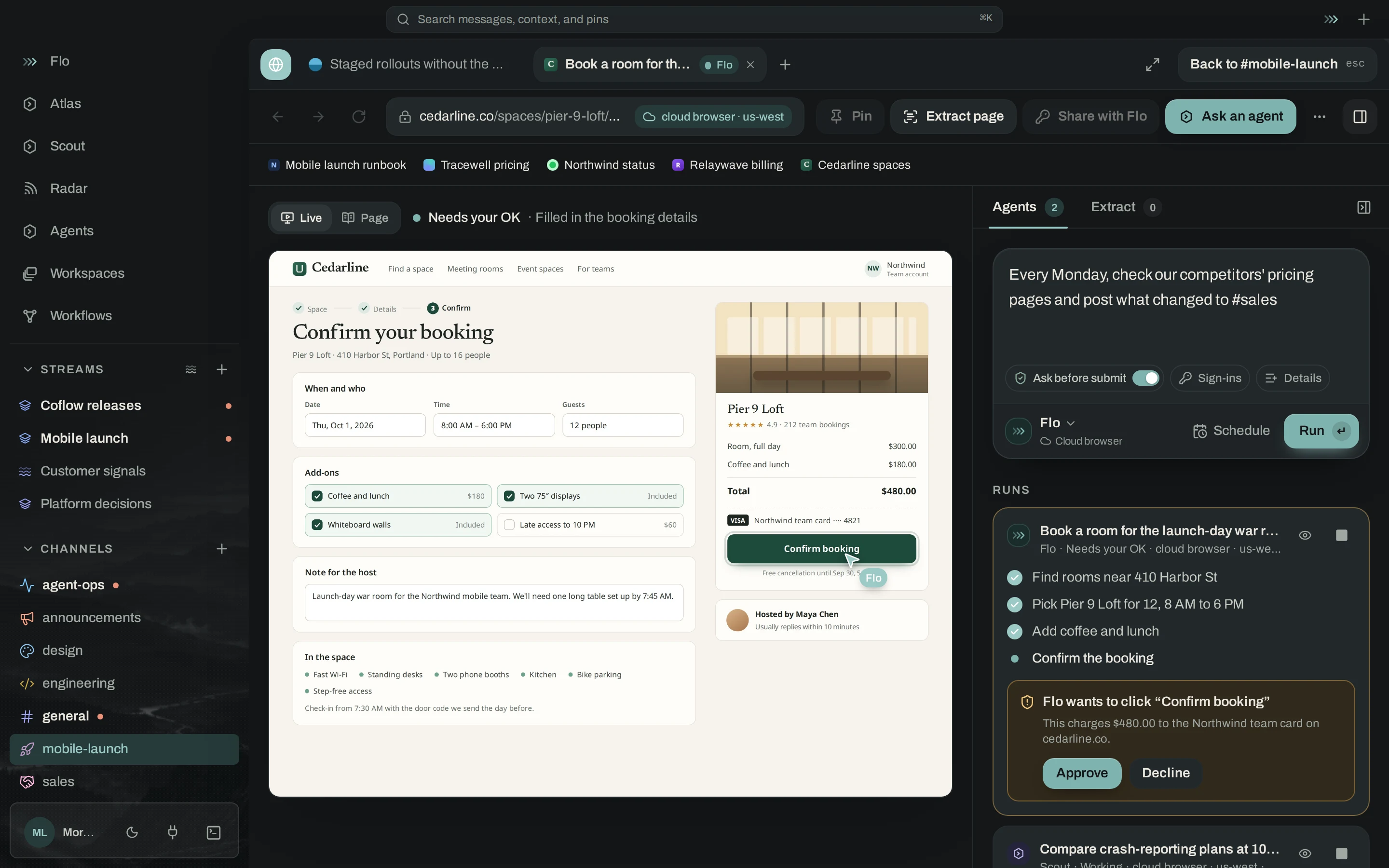
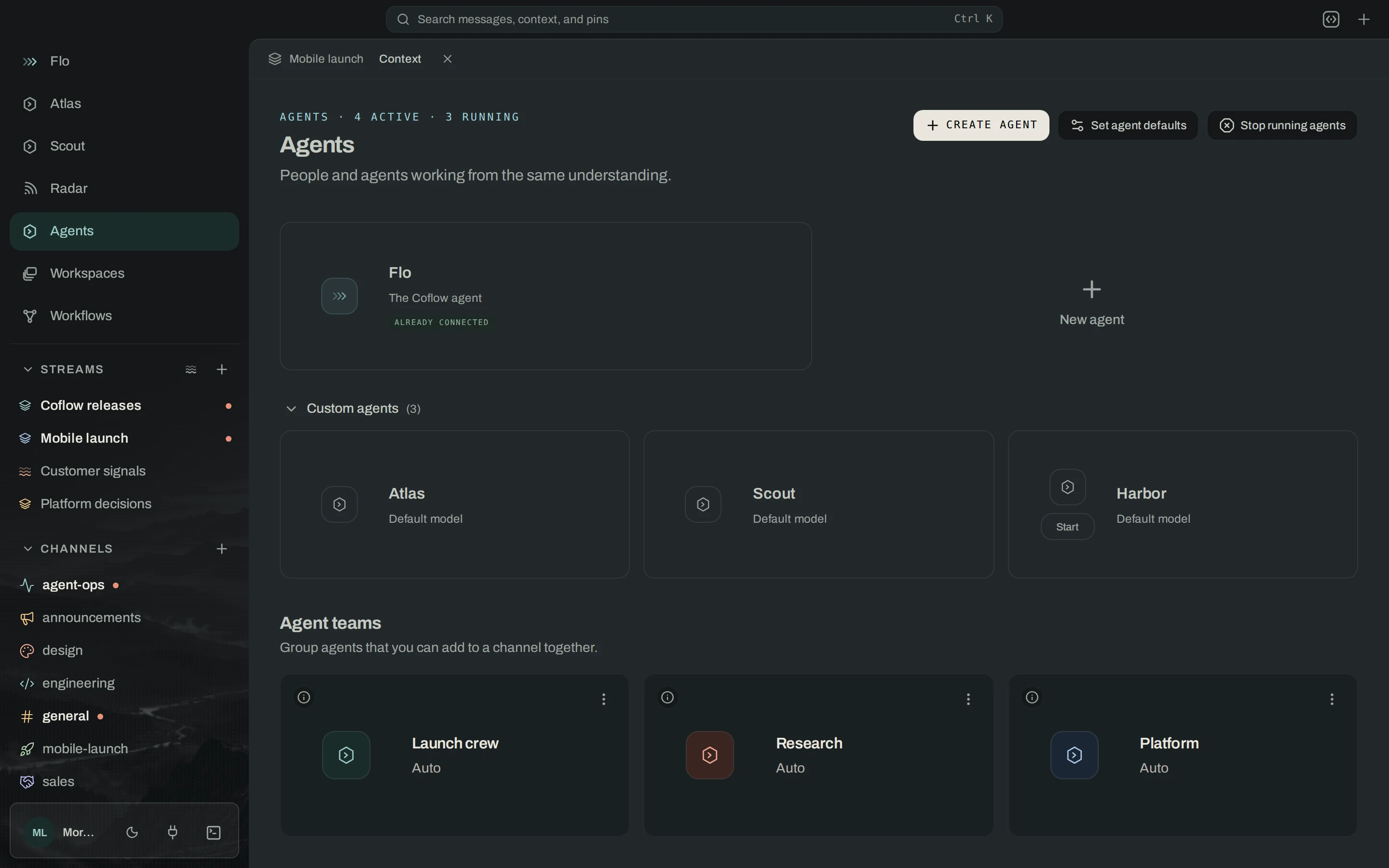
Work with Claude Code, Codex, goose, or another ACP runtime. Give agents a place on the team and follow their activity alongside the conversation.

  • Claude Code
  • Codex
  • goose
  • ACP runtimes
02

Give repeatable work a workflow

Start from a schedule, a webhook, or channel activity. Connect triggers, conditions, and actions to keep recurring team and agent work moving with a process you can inspect and refine.

03

Move between teams without losing the thread

Organize knowledge by workspace and project, choose who can access it, and connect the tools each team relies on.

Explore access and sharing

A DAY IN COFLOW

One change.
A team moving with it.

A release date moves. Here’s how the same knowledge can travel through the work.

  1. 01 / NOTICE

    See the change.

    A project feed brings the update into view. Radar surfaces a decision change that needs attention.

    Feeds + Radar
  2. 02 / UNDERSTAND

    Ask what it means.

    Bring the update to Flo. Discuss the implications with your team using the original sources.

    Flo + conversations
  3. 03 / ACT

    Make the next move.

    Work through the code change with an agent. Use a canvas or screenshot to explain the intended result.

    ContextCode + canvas
  4. 04 / REMEMBER

    Leave the next person ready.

    Update the runbook, capture the decision, and create a handoff with the context the next step needs.

    Knowledge + handoffs

03 / POWERED BY CONTEXTSTREAM

Good work builds in layers.
So does context.

Coflow is where people and agents work together. ContextStream connects the knowledge behind that work, from source code and documents to decisions, lessons, and past sessions.

Discover ContextStream
  • 01

    Find the thinking behind the work

    Search across code, documents, and project memory.

  • 02

    Start with what the team already knows

    Bring relevant decisions and lessons into the next session.

  • 03

    Make a handoff worth receiving

    Carry the background, current state, and next steps forward.

A FEW THINGS TO KNOW

Built around
how you work.

Is Coflow just for developers?

Coflow brings project knowledge, conversations, and agents together for the whole team. Product, design, operations, and engineering can follow relevant work, ask Flo, and keep knowledge up to date. ContextCode adds a dedicated environment for coding with an agent.

How is Coflow different from ContextStream?

Coflow is the place where your team talks, follows work, and collaborates with agents. ContextStream provides the connected knowledge and memory behind it. Together, they bring project context into daily work and carry it between sessions.

Do I have to share everything with the whole team?

No. Choose the people who can access a workspace, project, or feed and set read or read/write permissions. Private channels control participation in conversations. Creators and workspace owners and admins retain their management access. Narrowing a conversation’s context changes its focus; it does not grant additional access.

Which tools can I connect?

Connect GitHub, GitLab, Bitbucket, Notion, Linear, Jira, Stripe, and PostHog. Paper connects through Paper Desktop’s local MCP server with a design open. Each connection has its own setup, workspace scope, and agent read setting.

Can I use my own agents and infrastructure?

Coflow supports Claude Code, Codex, goose, and ACP runtimes, alongside Flo. Join a hosted community or run your own Coflow relay. Your runtime and connected services may require their own accounts and configuration.

THE NEXT CHAPTER IS SHARED

Build what’s next.
Together.

Your people. Your agents. Everything you know, ready to work.

Available for macOS and Linux. Windows preview.

Choose your desktop download

Windows is an earlier preview build. Choose the installer for the desktop where you’ll use Coflow.

Coflow desktop